R.B.4
1
A /
V
W O M A N &
A V I E W
2 0 0
7 / 8
|

|
1
SERIAL NO.
IM
448199
|
IVAN METHUSELAH'S
DIGI-BOX SIGNAL BOOK
6: HIGH
DEFINITION
The first successful
television transmission was at 30 lines. In 1936, the BBC launched the
first High Definition service at 405 lines (that's a pixel height of
377 in today's money; the rest of the lines are nothing to do with the
picture). In the late '40s, France experimented with an 819 line (755
pixel) system before joining with the rest of Europe at the new PAL
standard of 625 lines (576 pixels) that we've all been living with
since BBC 2.
Now there's a bigger fish in
town, and its name is HD. HD is 1080 pixels high. Fantastic!
Of course life is never
simple. In 1964, when BBC 2 launched, we all had to go out and buy
ourselves new tellies so that we could see the 199 extra lines of
resolution. Those new tellies were dual standard receivers and could
switch between the two line-systems. My cathode ray could flip from one
standard to the other with little difficulty. It helped that everything
was smaller in those days. But as the resolution gets ever larger,
certain problems begin to raise their heads. Before we address these,
we need to understand the lay of the land.
INTERLACE
|
In the beginning was the
Cathode Ray. It buzzed around the place like a cat on fire. Cathode ray
tubes (CRT) scan the picture in two passes -- odd lines then even lines
-- to create a frame. They do this at 50Hz, which is faster than the
eye can see. It takes a 50th of a second to create one field of
alternate lines, and another 50th to fill the gaps, but we just
register that as a 1/25th frame. Everything was lovely unless you had
super-fast eyes, in which case you'd collapse in a heap, dribbling. But
most people don't have super-fast eyes. The world is lovely. But the
bigger the picture gets, the further the cathode ray has to travel, and
oh... it's not as young as it used to be. 1080i (1080 pixel interlaced)
CRT tellies exist, but they're like platinum dust. And of the few that
exist, even fewer can manage to squeeze an industry standard 1440
horizontal pixels onto the screen. Not with their backs like they are.
Which is unfortunate, because HD is currently broadcast in 1080i. The
best way to see a 1080i picture is on a 50Hz CRT television of
appropriate resolution (where it would look something
like this). But who buys CRT these days? You can buy sheds
that are smaller.
No, no no. Now we have LCD
and
plasma: lovely flat tellies that take up next to no room at all. You
can even hang them on the wall without need of a flying buttress. Now
the trouble is that such tellies don't do interlace well. Their pixels
are either on or off, so there's no dying luminescence to aid memory,
and what we end up with is a flickery mess with a load of bouncing
lines in it (these demonstration images have been treated to reduce
this problem, but even then the simulation can only go so far). To
counter this, LCD and plasma do something called: |
|

Simulated interlace
(720x576)
|
DEINTERLACING
Now really this should be a
piece of metaphorical piss: take one field of data (the odd lines),
take the next field (the evens) and superimpose. Ta da: one
deinterlaced picture ready for show. This technique is called "weaving"
and theoretically it is that
easy. But here's the rub:
interlacing isn't limited to display, it's also the mechanism by which
most TV cameras traditionally operate. And because a camera scans its
fields in real time, the result is that one field shows material
recorded 1/50th of a second before its partner. Now the human eye
couldn't care less so long as it gets to see this stuff interlacing:
the brain can't move quick enough to process the difference properly
and so shrugs and says "it's something like this". But glue the two
frames together and it's a different matter, because suddenly they're
up long enough for our brains to make them out. Now imagine I am
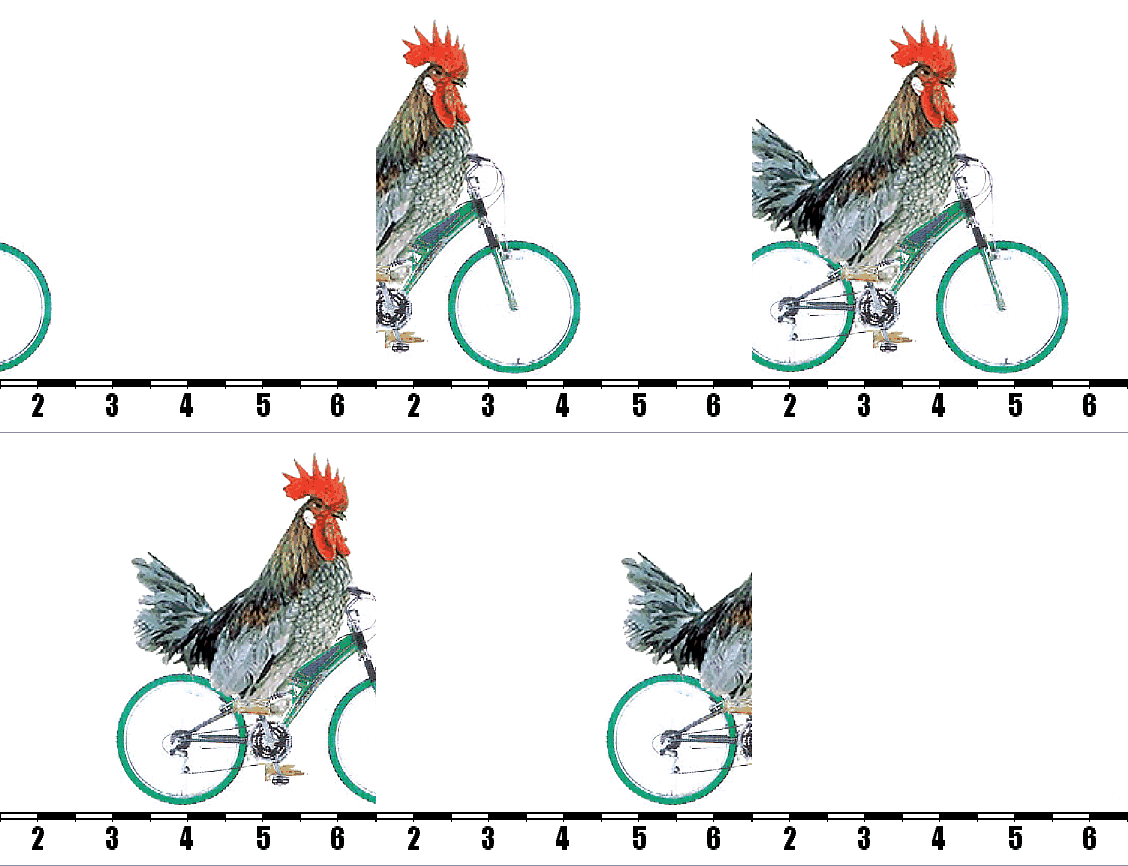
recording a chicken riding a bicycle at a speed of 1 foot per second:
that chicken will have moved a quarter of an inch between one field
scan and the next, so gluing the two images together will result in a
very odd looking chicken:
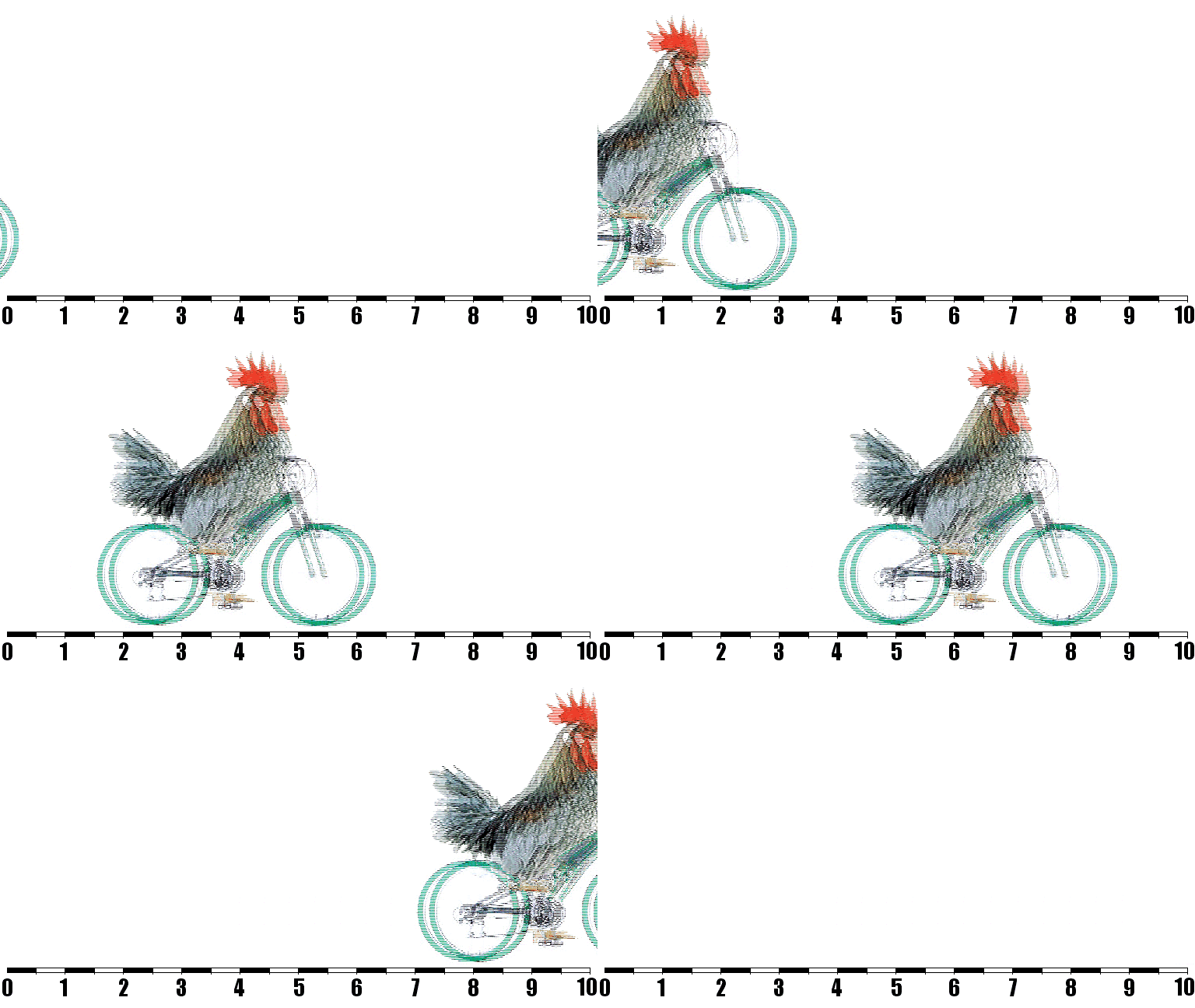
Appropriately
enough, this problem is called "combing". How do we get around it? We
can get rid of the lines by blending the frames like so:
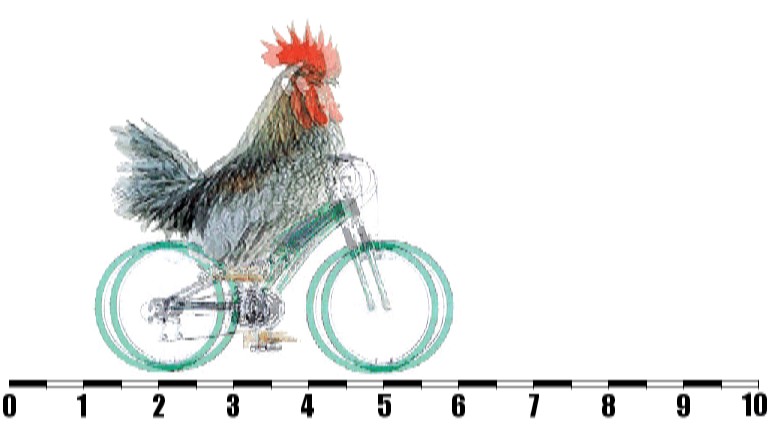
But
that still hasn't got rid of the ghosting problem. In fact all it's
done is effectively halved the vertical resolution. Perhaps we need to
take a different approach.
This
time we'll take each field
of alternate lines and double them up: so we have line 1, then another
line 1 in the gap where line 2 goes later, then line 3, then another
line 3, etc. We do this for each field and then play them all back at
50 frames per second. The result appears bottom left (cropped to save
room).
When objects are in motion, the results are pretty good, but notice the
meter at the bottom of the frame: bits of it are dropping through the
pixel grating
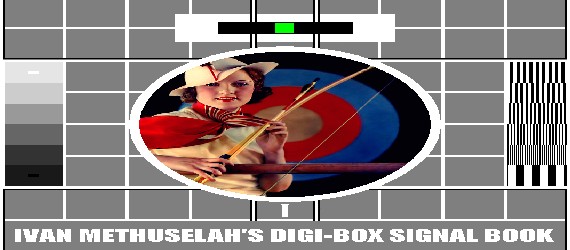
to create a flashing effect. Things are even worse for our testcard
(bottom right).
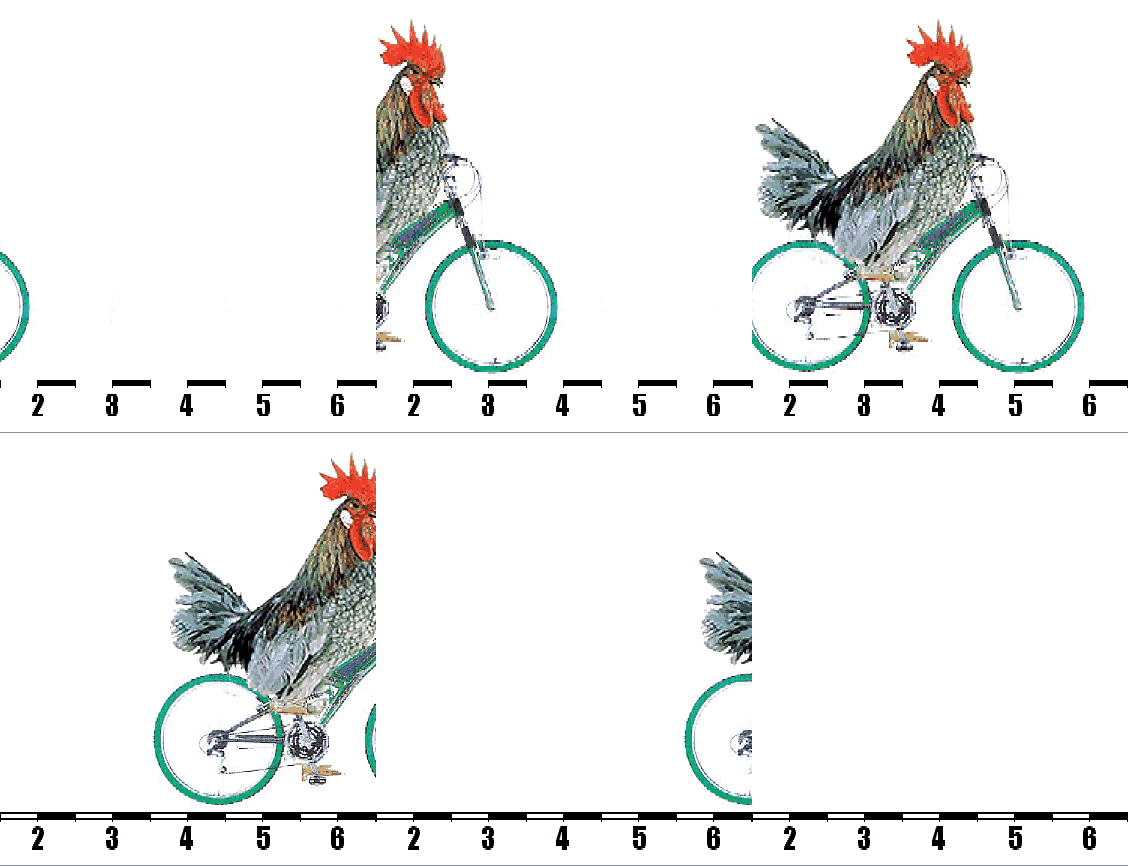 Bob Deinterlacing
(50 Hz)
|
|
|
This
effect is rather charmingly
called "bob". We can, of course, get rid of it by dropping one of our
newly created frames and going back to 25 frames per second. This would
give us the same temporal resolution as film, and that's more than
enough. But we'd've achieved this by halving the vertical resolution.
Bob Deinterlacing
(25 Hz)
|
|
|
 Half the vertical
resolution of HD is 540 which is less than the vertical resolution of
conventional telly. Half the vertical resolution of conventional telly
is 288 which is considerably less than we used to have in the pre-BBC2
days. A 544 horizontal resolution picture would come out looking like
the one on the right if anti-aliasing were applied.
Half the vertical
resolution of HD is 540 which is less than the vertical resolution of
conventional telly. Half the vertical resolution of conventional telly
is 288 which is considerably less than we used to have in the pre-BBC2
days. A 544 horizontal resolution picture would come out looking like
the one on the right if anti-aliasing were applied.
What we have then are a number of mechanisms for deinterlacing, none of
which are truly ideal. Plasma and LCD televisions have a little
computer inside them to combine these techniques and apply them as
computer thinks best. Different methods can even be applied to
different parts of the picture, employing similar motion compensation
methods to those used in the GOP manipulations. The results are
variable. The picture on a plasma or LCD display is at the mercy of the
deinterlacing gubbins inside. The same is true of 100Hz televisions,
which repeat frames or interpolate median frames in an attempt to
reduce flicker.
Of course, not all material being broadcast is filmed using interlacing
cameras. Anything on film and anything using swanky new
progressive-scan digital cameras should deinterlace without a problem.
If you spend all your time watching DVDs, your progressive-scan
television should really be perfectly up to the job.
The vast majority of stuff broadcast at the moment is not HD, and not
recorded on film. It is safe to assume that the best TV cameras are
being used for the HD output and consequently most of the non-HD
material is likely to be using interlacing cameras. As far as
conventional broadcasting, this state of affairs is only a problem to
LCD and plasma viewers. But there is another complication on the
horizon...
HD is 1080 pixels tall. Normal telly is 576 pixels tall. That's not a
particularly neat fraction. To illustrate the problem in a gratuitous
manner, this link shows you a standard
definition interlaced picture (a little buzzy when seen on a computer
monitor, but you get the idea), and this link
shows you what happens when you try to blow it up to HD proportions (if
you have a browser capable of resizing web-content, why not play around
with that function and see if you can't induce seizures). Ok, like I
say, that's gratuitous: we've got to deinterlace the thing anyway. But
that should serve as an illustration as to why deinterlacing is
especially important in upscaling a conventional broadcast for a HD
television. Watch what happens when we blow up the deinterlaced images
we created earlier to HD screen-size:
50 Hz Bob Deinterlace of a 720x576 picture;
Anti-aliased 25 Hz Bob
Deinterlace of a 720x576 picture (i.e. ignoring every other field)
and the same at 544x576;
A straight blow-up of a 720x576 picture,
which could be achieved using the weave-deinterlace method we looked at
originally (ideal for still images).
Here then we begin to see a problem with HD televisions. Let's compare
a strong signal on a standard definition CRT with the same image
weave-deinterlaced for progressive scan and then blown up for a high
definition TV (bare
in mind that the interlaced CRT image is shown here at a reduced
palette to enable animation, and that its brightness has been
compromised to
reduce flicker on progressive-scan displays):

|
|
Resolution: 720x576 (detail)
|
These images represent the best
possible output of a 720x576 broadcast testcard in SD and HD display
formats.
Now let's do the same thing to ITV2 (I'll not bother with another
interlace animation because the reduced palette of the animated .gif
isn't really up to the job):

Resolution: 544x576 (detail)
That's starting to look quite crumby,
especially the enlargement, but
we can make it even crumbier: we can deinterlace it badly and lose half
of
the vertical pixels. Then it looks like this:

...and once blown up to HD size it looks
really rather grotty indeed, as demonstrated, right. All these
enlargements in this section are being done by your browser. Imagine
how smeary they could look with some really bad anti-aliasing thrown in
for good measure.
It is this question of upscaling, confounded by deinterlacing, which is
the biggest problem for HD. It's like if I were to upscale the AVWoman
address-bar icon by the same proportion:
|
|
|
|
Film, and digital
material shot in progressive-scan, are less
troublesome because their genuine 25 frames per second (or 24 frames
buggered about with, in the case of film) can be deinterlaced easily
with no fear of combing or the like. And, of course, a programme
recorded on filmstock can be telecined (or otherwise digitized) and
broadcast in full HD resolution.
This link depicts a mock-up of what a
top-end HD cathode-ray TV knocks out given a UK standard 1440x1080
resolution HD broadcast. This link shows
what it looks like on progressive-scan systems when deinterlaced to the
highest possible standard, and this link
shows what it looks like when deinterlaced by an idiot. Even the idiot
failed to destroy things irreconcilably. In fact, let us compare the
low quality deinterlace with the best quality SD image (blown up to
equivalent size):

Standard Definition:
720x576 enlarged to 1920x1080 (detail)
|
|

High Definition:
1440x1080 deinterlaced to 1440x540 (detail)
|
This represents the best SD can
hope to be, alongside the worst HD can be, given an equivalent image
compression. Now step as far away from your monitor as you would
normally be from your TV. There you go. In this case at least,
sub-standard HD broadcasting looks better than top-standard SD
broadcasting.
So what do we draw from all of this nonesense? Clearly HD looks
yummy-scrummy, but the trouble at the moment is that you can count all
the currently available HD channels on the fingers of one badly mangled
hand, and you can count the number of programmes of interest on those
channels on the same gory wreckage. Until digital switchover hits your
local transmitter, you won't be getting terrestrial HD, which means
you'll need to harness a satellite. Freesat's performance is similar to
that of Freeview (bandwidth
allocation tends to be a little higher, so picture quality should
generally be slightly better) but with more channels (though some
curious omissions too). In the longer term it is a safe bet that,
apocalypses allowing, HD will be coming to a television near you within
five to ten years. And to watch it you'll need a compatible lot of kit:
as UK HD broadcasts are 1080 pixels tall, don't go buying a 720 or 768
tall display. If you're able to find a CRT telly, make sure it has at
least 1440 pixels of horizontal resolution in order to match the
current broadcasting standard. And consider the fact that a TV display
in the video world is the equivalent of an amplifier and speakers in
the audio world: if the telly doesn't have a tuner capable of spotting
a HD signal, you will need to buy a separate.
The most important detail emerging from this study is, I think, the
question of deinterlacing and upscaling. Standard definition
broadcasting far far outnumbers HD output at present so if you are going to buy a HD capable
television then please please please buy a decent one: one that can
take a 576 pixel tall interlaced signal and not render it as a Turner
seascape.
My advice to you is this: if you have a standard definition cathode ray
telly and it is working fine, for Baird's sake don't trade it in for a
HDTV just yet, because it'll only make you want to Oedipus your eyes in
a desperate and misguided attempt to improve the picture. If it's on
the blink and all that is available is plasma or liquid crystal, then
buy a HD one but buy a good HD one. And remember, kids, even if your
main telly is not HD ready, your computer monitor almost certainly is.
Why not slap a HD tuner into your USB port and try it that way?
Above all else, remember that watching telly tends to be done at a
distance anyway, and that even the crumbiest picture looks OK after
three pints (though decidedly worse after seven). What's more, a
lenticular magnifier fastened to the screen can turn a black and white
picture into the most extraordinary technicolour.
Now scroll back up and look at the chickens again. You know you want to.